Privacy. Student join names stay in TBASE. Teachers should use anonymous identifiers (Dolphin, Student 4), not legal names. Files are limited to 1 MB and 1,000 rows.
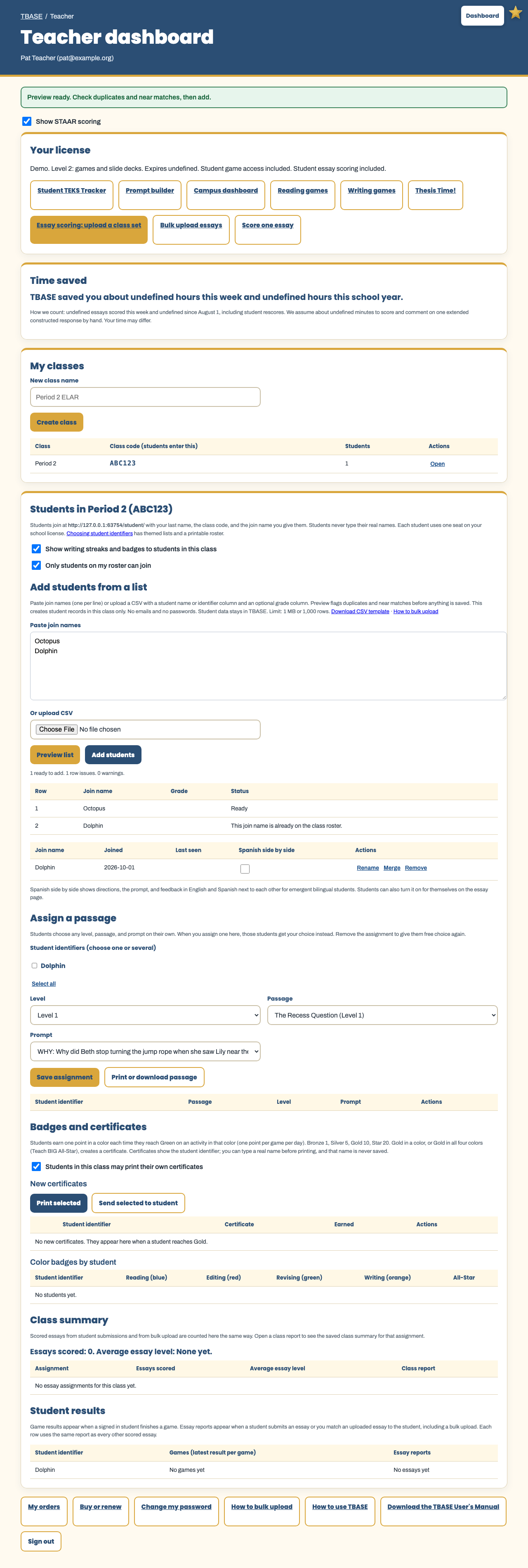
Teachers: add students from a list
Open a class on the Teacher dashboard. Use Add students from a list when roster-only join is on, or anytime you want the roster ready before students arrive.
- Download the class students CSV template, or paste one join name per line.
- Optional grade column is fine. Keep identifiers anonymous.
- Select Preview list. Exact duplicates and near matches are flagged. Nothing is saved yet.
- Select Add students. TBASE creates student records in that class only. No emails and no passwords.
Campus, district, and Teach BIG admins: bulk add teachers
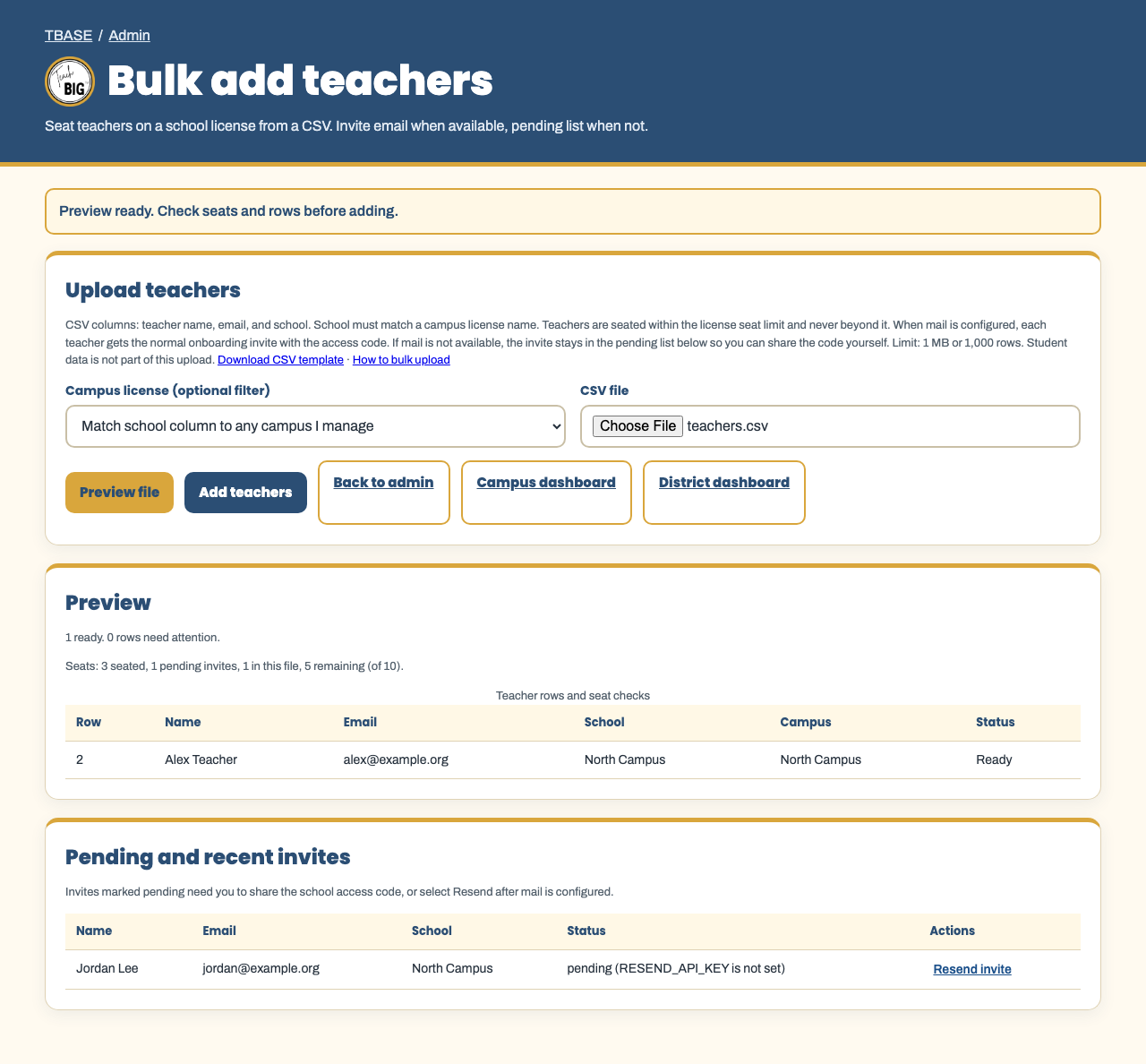
Open Bulk add teachers from the admin, campus, or district dashboards.
- Download the teachers CSV template (name, email, school).
- School must match a campus license name you can manage.
- Select Preview file. Seat counts are checked so you never exceed the license.
- Select Add teachers. Each teacher is seated on that school license. When mail is configured, the normal onboarding invite email is sent. If mail is not available, the invite stays in the pending list so you can share the access code.
Bulk essay scoring
Teachers and campus staff who need to score thousands of papers should use Bulk upload essays. The guide is How to bulk upload essays to TBASE. That upload is separate from class roster lists and teacher invites.
District roster and essay import (separate tool)
District administrators also have district roster and essay bulk import for campus-wide rosters and essay scoring. That tool is different from class list add and teacher invites. See How to use TBASE for those templates.
Tips for training
- Turn on Only students on my roster can join after you add the list, so students must use the exact join name.
- If a near match appears, rename or merge on the student table instead of adding a second record.
- If teacher seats are full, free a seat or raise the seat limit before uploading more teachers.